
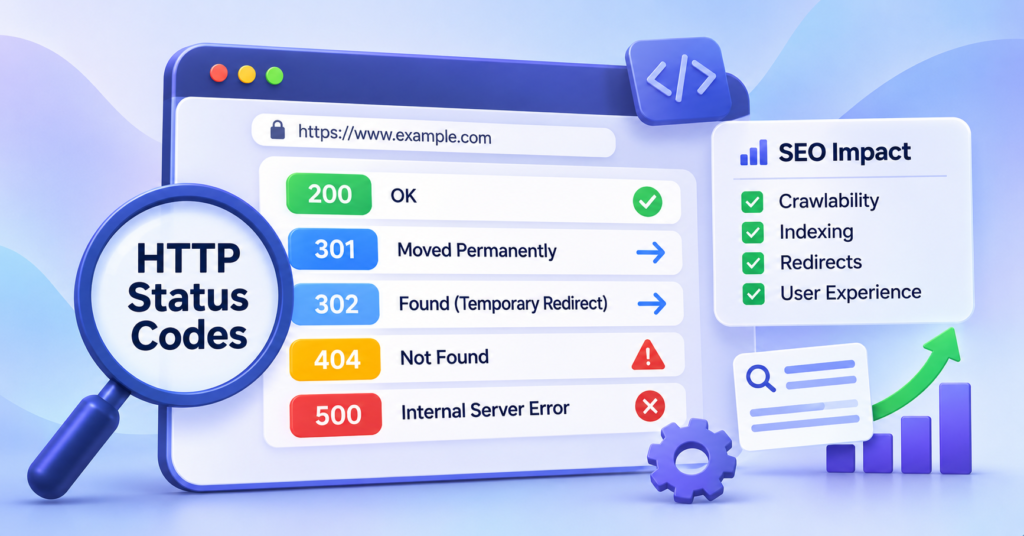
HTTP status codes tell browsers and search engines whether a webpage is accessible, redirected, missing or experiencing a server problem. For SEO, these responses influence how Google crawls URLs, processes content and maintains pages in its search index. Understanding HTTP status codes for SEO is essential when managing website updates, broken links, redirects and indexing issues. A page may contain valuable content and relevant keywords, but an incorrect server response can prevent search engines from accessing it properly. This guide explains the most important HTTP response codes, how they affect search visibility and when website owners should take action.
What Are HTTP Status Codes?
HTTP status codes are three-digit responses sent by a web server when a browser, search engine crawler or application requests a resource. They indicate whether the request succeeded, requires redirection or encountered an error. For example, when someone visits a webpage, the browser sends a request to the server. The server responds with the requested content and an HTTP status code. A 200 OK response indicates successful processing, while a 404 Not Found response indicates that the requested resource could not be found.
How Do HTTP Status Codes Work?
The process generally involves three steps:
- A browser or search engine crawler requests a URL.
- The website’s server processes the request.
- The server returns an HTTP response containing a status code.
Search engines use these responses to determine whether content can be accessed, whether a URL has moved or whether a page is no longer available.
The Five Categories of HTTP Status Codes
HTTP response codes are divided into five main categories.
| Category | Meaning | Common Examples |
| 1xx | Informational responses | 100, 101 |
| 2xx | Successful requests | 200, 201, 204 |
| 3xx | Redirection responses | 301, 302, 304, 307, 308 |
| 4xx | Client error responses | 400, 403, 404, 410, 429 |
| 5xx | Server error responses | 500, 502, 503, 504 |
Although all five categories have technical purposes, the 2xx, 3xx, 4xx and 5xx groups are particularly relevant when diagnosing SEO problems.
Why Are HTTP Status Codes Important for SEO?
HTTP status codes influence how search engines interact with your website. Incorrect responses can prevent important pages from being crawled or indexed, while properly configured redirects help search engines understand changes to your URL structure.
Crawlability and Search Engine Access
Search engine crawlers need to access website resources before processing their content. If Googlebot repeatedly encounters server errors or access restrictions, crawling may become less efficient. Regularly reviewing technical barriers affecting website accessibility helps identify problems that automated content checks may overlook.
Indexing and Search Visibility
A successful HTTP response allows Google to process a page for possible indexing. However, a 200 OK response does not guarantee that the page will appear in search results. Similarly, URLs returning 404 or 410 responses are generally excluded from Google’s index over time.
Redirects and Existing Search Signals
When a webpage moves permanently, a suitable redirect helps visitors and search engines reach its replacement. Incorrect redirects, broken destinations and redirect loops can interfere with this process.
Website Experience
HTTP errors also affect visitors. Broken pages, unavailable resources and repeated server failures can interrupt navigation and prevent users from accessing important information.
Important HTTP Status Codes Every Website Owner Should Know
Understanding individual response codes makes it easier to distinguish normal website behaviour from problems requiring attention.
200 OK – Successful Request
A 200 OK response indicates that the server successfully processed a request. This is generally the expected response for an accessible webpage containing content intended for indexing. SEO impact: Google can process the returned content, provided crawling and other indexing requirements are satisfied. However, a page returning 200 may still remain unindexed because of duplicate content, noindex directives or Google’s indexing decisions. Recommended action: Ensure important pages return 200 responses and display the intended content.
301 Moved Permanently – Permanent Redirect
A 301 response indicates that a resource has permanently moved to another URL.
For example:
example.com/old-service/ → example.com/new-service/
This is commonly used when restructuring websites, changing domains or replacing outdated URLs.
SEO impact: Google treats permanent redirects as strong signals that the destination should become the canonical URL.
Recommended action: Redirect old URLs to relevant replacements, update internal links and avoid unnecessary redirect chains.
When planning significant website changes, mapping existing URLs to appropriate destinations helps reduce broken links and unexpected indexing problems.
302 Found – Temporary Redirect
A 302 response indicates that a resource has temporarily moved. It may be appropriate during short-term website changes or when visitors need to be directed elsewhere temporarily.
SEO impact: Google generally treats temporary redirects as signals that the original URL should remain canonical. Unlike a common misconception, 302 redirects do not automatically prevent ranking signals from passing.
Recommended action: Use temporary redirects when the original URL is expected to return. Use permanent redirects when the move is intended to last.
304 Not Modified – Cached Content
A 304 response indicates that a requested resource has not changed since a previously stored version. It allows browsers and compatible crawlers to reuse cached content instead of downloading the same resource again.
SEO impact: Proper caching can reduce unnecessary data transfer and server processing.
Recommended action: Ensure caching headers are configured correctly. A 304 response is not an indexing error by itself.
403 Forbidden – Access Denied
A 403 response means the server understands the request but refuses access. This may occur because of permission settings, firewall restrictions or security configurations.
SEO impact: If Googlebot receives a 403 response for important public content, the affected URL may be excluded from indexing.
Recommended action: Review access permissions, firewall rules and security plugins to ensure public pages remain accessible.
404 Not Found – Missing Page
A 404 response indicates that the requested resource could not be found. Common causes include deleted pages, incorrect URLs and broken internal links.
SEO impact: Google generally removes persistently unavailable URLs from its index. However, a legitimate 404 response is not automatically harmful to your entire website.
Recommended action:
- Restore the page if it was removed accidentally.
- Redirect it when a relevant replacement exists.
- Correct broken internal links.
- Allow intentionally deleted pages without replacements to return 404.
Avoid redirecting every missing URL to the homepage.
410 Gone – Permanently Removed
A 410 response indicates that a resource is no longer available and its removal is intentional. Unlike a 404 response, it explicitly communicates that the resource is gone.
SEO impact: Google treats 404 and 410 responses similarly for indexing purposes.
Recommended action: Use 410 when content has been permanently removed and there is no suitable replacement.
429 Too Many Requests – Rate Limiting
A 429 response indicates that a client has sent too many requests within a particular period. It is commonly associated with rate-limiting systems and overloaded servers.
SEO impact: Google treats 429 responses as server-overload signals and may temporarily reduce crawling.
Recommended action: Review rate-limiting configurations to prevent legitimate search engine requests from being unnecessarily restricted.
500 Internal Server Error
A 500 response indicates that the server encountered an unexpected problem while processing a request. Possible causes include application errors, plugin conflicts, database problems and server misconfiguration.
SEO impact: Persistent 500 errors can prevent crawling and eventually affect indexing.
Recommended action: Investigate server logs, identify the underlying problem and verify that affected URLs return successful responses after correction.
503 Service Unavailable
A 503 response indicates that the server is temporarily unable to handle requests. This may occur during maintenance or periods of excessive server load.
SEO impact: Google may temporarily reduce crawling when encountering 503 responses. Prolonged errors can eventually lead to indexing problems.
Recommended action: Use 503 only when appropriate, restore availability promptly and consider a Retry-After header for planned maintenance.
301 vs 302 Redirects: Which Is Better for SEO?
Neither redirect is universally better. The correct choice depends on whether the URL change is permanent or temporary.
| Factor | 301 Redirect | 302 Redirect |
| Purpose | Permanent URL change | Temporary URL change |
| Canonical signal | Strong signal towards new URL | Usually favours original URL |
| Common use | Website migration | Temporary page relocation |
| Ranking signals | Can pass signals | Can also pass signals |
| Recommended when | Original URL is permanently replaced | Original URL is expected to return |
For example, if a business permanently replaces an outdated service page, a 301 redirect is usually appropriate. However, if a page temporarily redirects during a short-term change, a 302 may be more suitable. The key is to communicate the actual purpose of the redirect rather than selecting a code based on outdated assumptions about link equity.
How to Identify HTTP Status Code Errors on Your Website
Website owners can identify HTTP response problems using several tools.
Google Search Console
Google Search Console provides information about crawling and indexing issues. Open Indexing → Pages to review reported problems such as:
- Not found (404)
- Server error (5xx)
- Redirect error
- Page with redirect
- Blocked due to access forbidden (403)
Use URL Inspection to investigate individual URLs. For more detailed troubleshooting, review Google’s official guidance on HTTP status codes.
Website Crawling Tools
Tools such as Screaming Frog SEO Spider can crawl website URLs and report their HTTP response codes. They help identify broken internal links, redirect chains, server errors and URLs returning unexpected responses.
Browser Developer Tools
You can also inspect a webpage’s HTTP response using your browser.
In Chrome:
- Open the webpage.
- Press F12 to open Developer Tools.
- Select the Network tab.
- Reload the page.
- Review the Status column.
This helps identify the response returned for the webpage and its resources.
Common HTTP Status Code Mistakes That Affect SEO
Even established websites can develop technical issues when pages are updated, deleted or moved.
Redirecting Every 404 Page to the Homepage
Redirecting unrelated deleted URLs to the homepage can confuse visitors and may be treated as a soft 404 by Google. Instead, redirect only when a relevant replacement exists.
Creating Long Redirect Chains
A redirect chain occurs when one URL redirects through multiple destinations. For example:
Page A → Page B → Page C → Page D
Although Google can follow redirects, unnecessary chains add requests and increase the possibility of errors. Where possible, redirect directly to the final destination.
Returning 200 for Missing Content
Some websites display an error message while returning a successful 200 response. Google may classify these pages as soft 404 errors. Ensure genuinely missing content returns the appropriate HTTP response.
Ignoring Recurring Server Errors
Occasional server failures may be temporary, but recurring 5xx errors require investigation. Identifying server response and website performance problems can help improve accessibility for users and search engine crawlers.
HTTP Status Code Checklist for Website Audits
Use this checklist when reviewing your website’s technical condition.
| Check | Recommended Action |
| Important pages return 200 | Verify content and indexability |
| Permanent URL changes | Implement relevant 301 redirects |
| Temporary URL changes | Use suitable temporary redirects |
| Broken internal links | Correct or remove outdated links |
| Deleted content | Return 404/410 or redirect appropriately |
| Redirect chains | Link directly to final destinations |
| Recurring 5xx errors | Investigate server and application issues |
| XML sitemap URLs | Include preferred, indexable destinations |
For websites undergoing major changes, complete these checks before launch and repeat them afterwards.
HTTP Status Codes and AI Search Visibility
AI-powered search experiences depend on access to web content, although different search systems use their own crawling and retrieval processes. HTTP responses remain relevant because inaccessible or incorrectly redirected content can be difficult for crawlers to retrieve. For example, a useful informational page returning repeated 500 errors may not be consistently accessible to search systems. Similarly, an incorrect redirect could send crawlers away from the intended content. Maintaining correct server responses therefore supports technical accessibility for both traditional and AI-driven search systems. However, successful HTTP responses do not guarantee inclusion in AI-generated answers. Content usefulness, relevance, source selection and other system-specific factors also influence visibility.
Final Thoughts: Maintain Healthy HTTP Responses for Better Search Accessibility
HTTP status codes are essential signals that help browsers and search engines understand how your website responds to requests. From successful page delivery and permanent redirects to missing content and server failures, each response communicates important information about website accessibility. Regular monitoring helps businesses identify technical problems, maintain accurate redirects and keep important pages available for crawling and indexing. For websites experiencing recurring technical issues, investigating the underlying causes is more valuable than simply correcting individual error messages.
Need Help Identifying Technical Issues on Your Website?
At SEOCompany.me, we help Singapore businesses investigate crawling, indexing, redirect and website accessibility problems. Our technical assessments focus on identifying issues that may affect organic search visibility and providing practical recommendations for improvement. Request a Free Website SEO Audit and find out what may be affecting your website’s search performance.
Frequently Asked Questions About HTTP Status Codes
1. Which HTTP status codes are most important for SEO?
The most important codes include 200, 301, 302, 404, 410, 429, 500 and 503. They help search engines understand whether content is accessible, redirected, missing or temporarily unavailable.
2. Do 404 errors negatively affect SEO?
Not automatically. A 404 response is appropriate for content that no longer exists. Problems arise when important pages disappear unexpectedly, internal links remain broken or valuable URLs lose their intended destinations.
3. Does a 301 redirect pass SEO value?
A properly implemented 301 redirect can transfer ranking signals to the destination URL. However, the outcome depends on factors such as destination relevance, indexing and Google’s evaluation of the redirected content.
4. Can a 200 status code guarantee Google indexing?
No. A 200 response indicates successful delivery, but Google independently decides whether a page should be indexed based on its content and other indexing signals.
5. How often should websites check HTTP status codes?
Monthly technical checks are a useful starting point for established websites. More frequent monitoring is recommended after migrations, major website updates or recurring server problems.
Author
-
 View all posts
Eugene Peh is the partner of SEOCompany.me, specializing in business development, marketing strategy, SEO, and digital growth. Passionate about helping companies grow, he employs creativity and innovative marketing solutions to enhance brand awareness and support sustainable execution. His expertise in SEO paid media and performance marketing research & strategies keeps clients ahead in the ever-evolving digital landscape.
 Eugene Peh